


Speed Up Your WordPress Site: Proven Strategies for Faster Loading
Speed up wp site: If you’re looking to make your WordPress site faster, you’re in the right place. Website speed isn’t just about aesthetics—it’s crucial for user experience, search engine optimization (SEO), and ultimately, your business success.
Here’s a quick snapshot of why speeding up your WordPress site is essential:
-
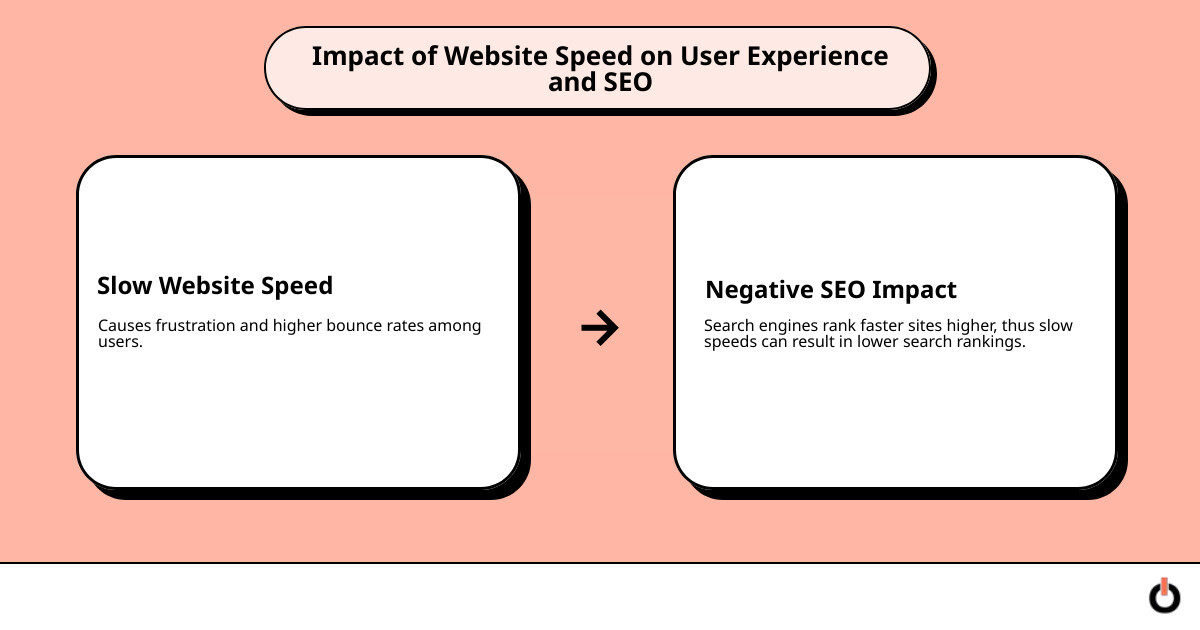
Improved User Experience: Slow-loading sites frustrate users. A delay of even a few seconds can lead to higher bounce rates, meaning potential customers might leave your site before it even fully loads.
-
Search Engine Rankings: Google values user experience, and faster sites rank better. A quick-loading website can help boost your site’s position in search engine results, potentially driving more traffic your way.
-
Business Impact: Faster-loading sites can increase your conversion rates as users are more likely to complete actions—whether it’s signing up for a newsletter, making a purchase, or booking a service.
With these points in mind, the following sections will provide proven strategies to help you speed up your WordPress site, improving both performance and user satisfaction.
My name is Kevin Gallagher. With over fifteen years of experience in crafting and maintaining WordPress websites, including enhancing site speeds, I’ve helped countless businesses leverage the power of speed up wp site techniques. Let’s dive into how these strategies can transform your online presence.
Why Speed Matters for WordPress Sites
In today’s digital world, website speed is crucial for success. A slow site can harm your business in multiple ways, from losing potential customers to dropping in search engine rankings. Here’s why speed matters for your WordPress site:
Bounce Rates
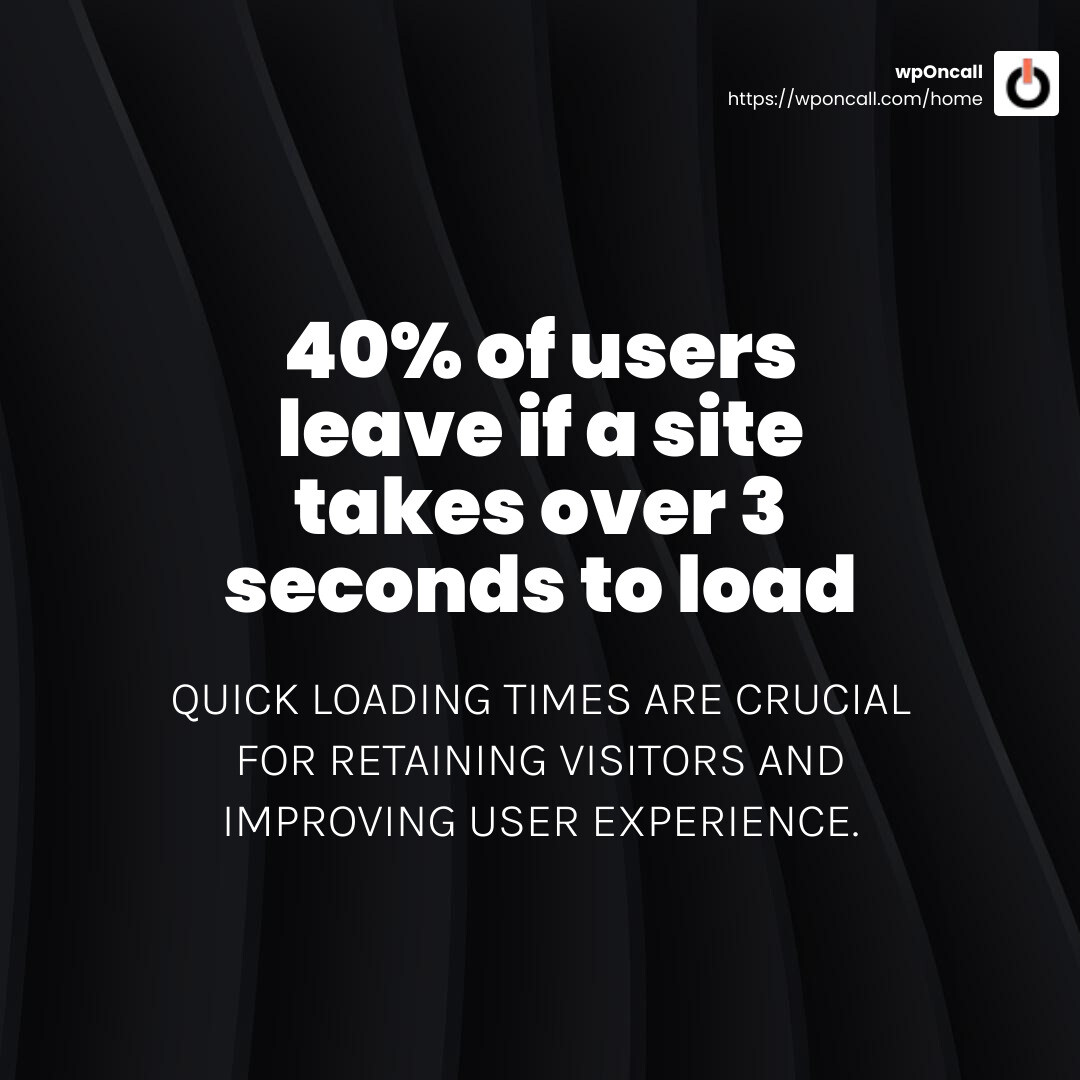
Bounce rate refers to the percentage of visitors who leave your site after viewing just one page. When your site loads slowly, visitors are more likely to abandon it before engaging with your content. According to research, 40% of users will leave a site if it takes longer than three seconds to load. That’s a significant number of potential customers lost due to slow loading times.
User Retention
User retention is about keeping visitors on your site and encouraging them to return. Fast-loading sites provide a better user experience, making visitors more likely to explore multiple pages and return in the future. A smooth and speedy website can improve user satisfaction, increasing the likelihood of conversions and repeat visits.
Search Engine Rankings
Search engines, like Google, prioritize user experience when determining rankings. This means that faster sites often rank higher in search results. Google has used page speed as a ranking factor for mobile searches since 2018. By improving your WordPress site’s speed, you can climb the search engine results pages, attracting more organic traffic to your site.
In summary, speeding up your WordPress site can significantly impact your bounce rates, user retention, and search engine rankings. In the next section, we’ll explore essential tips to help you achieve these improvements.
Essential Tips to Speed Up WP Site
Speeding up your WordPress site is crucial for providing a better user experience and improving your SEO performance. Here are some essential tips to speed up WP site:
Lazy Loading
Lazy loading is a technique where images and videos are only loaded when they enter the viewport. This means that not all content is loaded at once, which can significantly reduce initial load times. For WordPress users, plugins like Lazy Load by WP Rocket can make implementing this feature straightforward.
Caching
Caching is one of the most effective ways to improve your site speed. By using a caching plugin, you can serve static versions of your pages, reducing the load on your server. WP Rocket is a popular choice that simplifies caching and offers a user-friendly interface.
Image Optimization
Images are often the largest files on a webpage, which can slow down loading times. To optimize images, resize them to the exact dimensions needed and compress them without losing quality. Tools like Smush can automate this process for WordPress sites, ensuring images load quickly.
Database Optimization
Over time, your WordPress database can become cluttered with unnecessary data, such as post revisions and spam comments. Regularly cleaning up your database can improve site performance. Plugins like WP-Sweep and Advanced Database Cleaner can help you manage and optimize your database efficiently.
CDN Usage
A Content Delivery Network (CDN) distributes your site’s static files, like images and scripts, across multiple servers worldwide. This means that when a user visits your site, they receive these files from the server closest to them, reducing load times. Services like Cloudflare offer CDN solutions that can be easily integrated with WordPress.
By implementing these tips, you can improve your site’s speed and provide a better experience for your visitors. In the next section, we’ll dive into advanced techniques for further improving your WordPress site’s performance.
Advanced Techniques for WordPress Performance
Once you’ve mastered the essential tips to speed up WP site, it’s time to explore some advanced techniques. These strategies require a bit more technical know-how but can lead to significant performance boosts.
Minify CSS, HTML, and JavaScript
Minification is the process of removing unnecessary characters from code. This includes spaces, comments, and line breaks, which can make your files larger without adding any functionality. By minifying your CSS, HTML, and JavaScript, you can reduce file sizes and improve load times.
- How to Minify: Use tools like WP Rocket, which offers minification options for all three file types. Alternatively, online tools like minifier.org can help you manually minify files.
Defer JavaScript
JavaScript files can slow down your page load times if they block the rendering of other content. Deferring JavaScript means delaying its execution until after the page has loaded, allowing users to see and interact with your content more quickly.
- Implementation: Plugins like Autoptimize can help you defer JavaScript easily. Simply enable the option to defer JavaScript in the settings, and the plugin will handle the rest.
Reduce Redirects
Redirects are sometimes necessary, but too many can slow down your site. Each redirect adds an additional HTTP request, which increases load times. It’s best to minimize them where possible.
- Optimization Tip: Use tools like Screaming Frog to analyze your redirects and reduce them. Aim to replace redirect chains with direct links whenever possible.
PHP Updates
Running the latest version of PHP can significantly improve your site’s performance. Each PHP update brings speed improvements and new features that can help your site run more efficiently.
- How to Update: Check your hosting provider’s control panel for PHP version options. If you’re unsure, WP Engine’s PHP Compatibility Checker can help determine if your site is ready for an update.
By integrating these advanced techniques, you’ll be well on your way to creating a faster, more efficient WordPress site. Up next, we’ll explore the top plugins to further improve your site’s speed.
Top 5 Plugins to Speed Up WP Site
Plugins are a fantastic way to speed up WP site performance without diving into complex coding. Let’s explore five top plugins that can make a significant difference.
1. WP Rocket
WP Rocket is a powerful caching plugin that can dramatically improve your site’s load times. It creates static HTML versions of your pages, reducing the need for heavy PHP scripts. With features like cache preloading, lazy loading, and database optimization, WP Rocket is a comprehensive solution for speeding up your site.
- Why Choose WP Rocket?: It’s user-friendly and doesn’t require technical expertise to set up. Plus, it includes minification options for CSS, HTML, and JavaScript, all in one package.
2. Perfmatters
Perfmatters focuses on disabling unnecessary WordPress features that can slow down your site. It helps you manage and optimize scripts, reduce HTTP requests, and disable WordPress options you don’t use. This plugin is perfect for those looking to trim the fat from their site without breaking a sweat.
- Key Feature: You can disable scripts on a per-page basis, ensuring that only essential scripts load on each page.
3. Smush
Images are crucial for engagement, but they can also bog down your site if not optimized. Smush excels at compressing and optimizing images without losing quality. It automatically compresses images as you upload them, ensuring your media library stays lean.
- Bonus: Smush also offers lazy loading, which delays the loading of images until they’re needed, further speeding up your site.
4. WP-Sweep
Over time, your WordPress database can become cluttered with unnecessary data like post revisions, spam comments, and transient options. WP-Sweep helps clean up this database bloat, optimizing your site’s performance. It safely deletes redundant data, freeing up space and reducing load times.
- Why Use WP-Sweep?: It’s straightforward and safe to use, even for those not comfortable with database management.
5. Advanced Database Cleaner
Similar to WP-Sweep, the Advanced Database Cleaner plugin offers more granular control over your database cleanup. It identifies and removes outdated data, such as expired transients and old revisions, that can slow down your site.
- Advanced Features: It provides detailed reports on database status, allowing you to make informed decisions about what to clean.
By integrating these plugins, you can significantly improve your WordPress site’s speed and performance. Next, we’ll tackle some frequently asked questions about speeding up WordPress sites.
Frequently Asked Questions about Speeding Up WP Site
How do I speed up my WP website?
To speed up WP site performance, start with cloud hosting. It offers scalable resources and faster load times compared to shared hosting. Also, ensure your site runs on the latest PHP version. This can significantly boost speed as newer PHP versions handle requests more efficiently.
Modern image formats like WebP can also improve load times. They offer high quality with smaller file sizes, reducing the load on your server.
Why is my WordPress site so slow?
Several factors can slow down your site. A slow server is a common culprit. If you’re on shared hosting, consider upgrading to a more robust option like cloud hosting.
Outdated plugins can also drag down performance. Regularly update them to ensure compatibility and efficiency. Unoptimized images are another issue. Large images take longer to load, so use tools to compress them without losing quality.
How to increase WordPress website speed without plugins?
You can improve your site’s speed without relying on plugins by using optimized themes. These themes are designed with performance in mind and have leaner code.
Implement a Content Delivery Network (CDN) to distribute your content across multiple servers worldwide. This reduces server load and improves load times for users in different locations.
Finally, keep your WordPress core, themes, and plugins updated. Regular updates not only improve speed but also improve security.
By addressing these areas, you can effectively improve your WordPress site’s speed and deliver a smoother experience for your visitors.
Conclusion
In today’s digital world, a slow website just won’t cut it. Speed is everything. It impacts user experience, SEO, and even your bottom line. That’s why optimizing your WordPress site for speed is crucial.
At wpOncall, we specialize in making WordPress sites faster and more secure. Our team of experts is dedicated to providing top-notch support and protection for your website. We understand the ins and outs of WordPress and are here to help you steer any challenges you might face.
Why choose wpOncall?
-
Expertise in WordPress: We know WordPress inside and out. From fine-tuning performance to securing your site, our team has the skills to make your site run smoothly.
-
Fast Response Times: Time is of the essence. When issues arise, you need them fixed—fast. Our quick response times ensure your site stays up and running without a hitch.
-
Website Protection: Security is a top priority. We provide daily updates and backups to keep your site safe from potential threats. Our proactive approach means you can focus on your business while we handle the tech.
If you’re ready to take your WordPress site’s performance to the next level, let us help you. Visit our service page to learn more about how we can support and protect your online presence.
A faster site means happier visitors, better SEO, and more conversions. Don’t wait—optimize your WordPress site today with wpOncall.

