


A – Z Guide to WordPress Plugin Reviews
Understanding WordPress Plugin Reviews
When exploring Plugin reviews WordPress, it’s essential to know how to effectively evaluate plugins. This process aids in selecting the appropriate plugin and ensures your website operates smoothly and efficiently. Here’s a breakdown of the key aspects of plugin evaluation, user feedback, and review criteria.
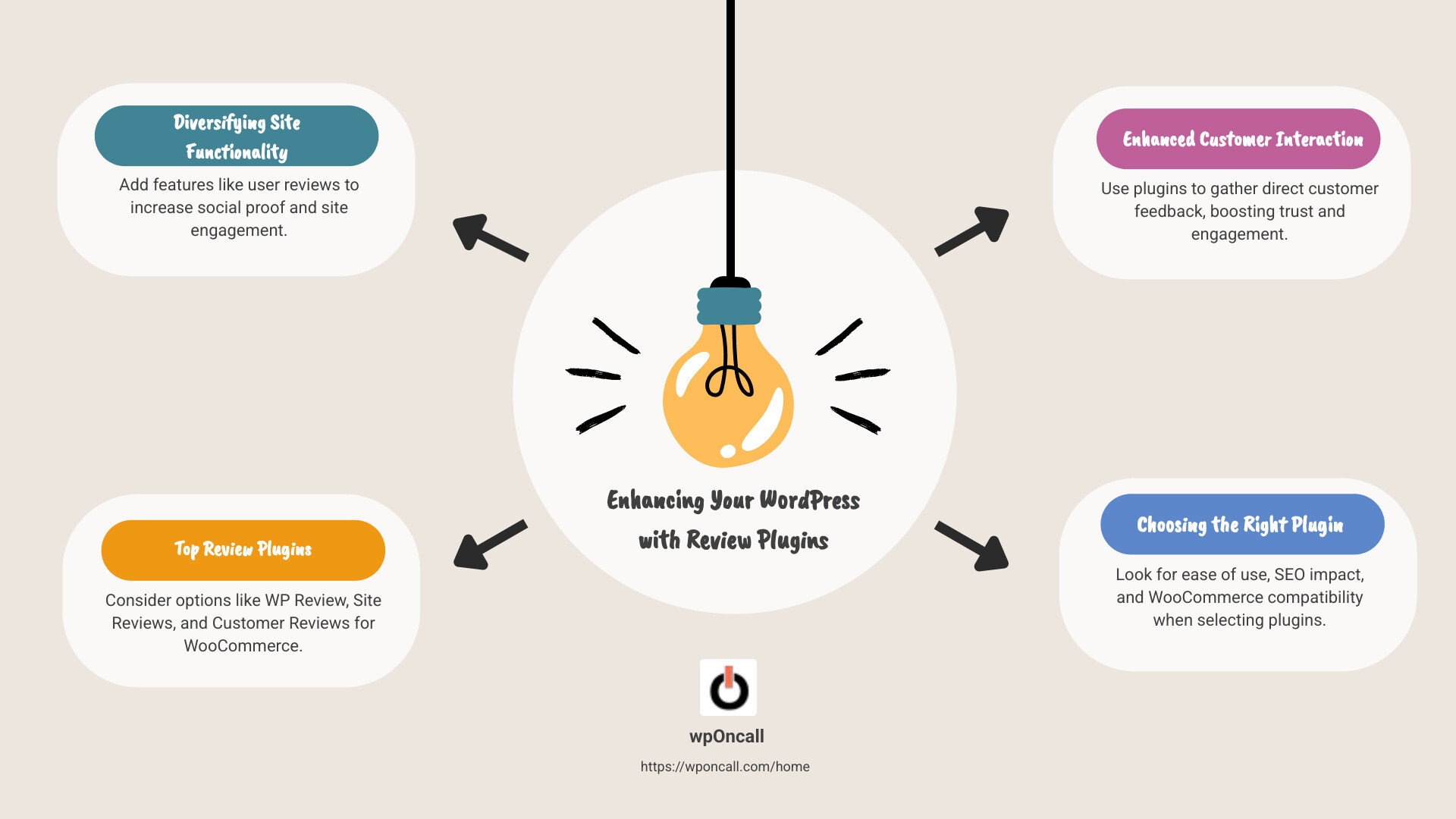
Plugin Evaluation
Evaluating a WordPress plugin involves several steps. Initially, assess the features it offers. Does it fulfill your specific requirements, such as adding a review section or integrating with WooCommerce? For example, Site Reviews is ideal for service websites, offering features akin to TripAdvisor or Yelp.
Next, consider the performance and speed. Plugins should not hinder your site’s speed. Some plugins, like WP Review Pro, are designed to be lightweight and efficient, ensuring your site remains quick.
Lastly, examine the integration capabilities. A good plugin should integrate seamlessly with other tools you use, such as email marketing services or SEO plugins like All In One SEO.
User Feedback
User feedback is invaluable when reviewing plugins. It provides real-world insights into how a plugin performs. Look for plugins with high ratings and positive reviews. For instance, Customer Reviews for WooCommerce is lauded for its ability to automate review requests, enhancing customer feedback collection.
Additionally, consider the support and documentation provided. A plugin with excellent support can save you time and headaches. Many users appreciate plugins that come with comprehensive guides and responsive support teams, ensuring any issues can be quickly resolved.
Review Criteria
When assessing plugins, have a set of criteria. Here are some factors to consider:
-
User-Friendliness: Is the plugin easy to install and configure? A plugin like WP Customer Reviews is known for its straightforward setup process.
-
Customization Options: Can you tailor the plugin to fit your site’s design and needs? The ability to customize review forms, like in Site Reviews, is a big plus.
-
SEO Impact: Does the plugin support SEO best practices? Plugins with schema markup, like WP Review Pro, help improve search engine rankings by displaying star ratings in search results.
-
Security: Ensure the plugin is regularly updated to fix any vulnerabilities. Recent reports have highlighted security flaws in some plugins, emphasizing the importance of updates.
By considering these factors, you can make informed decisions and select the best plugins for your WordPress site. This not only improves your site’s functionality but also boosts user trust and engagement.
Top 5 WordPress Review Plugins
Choosing the right review plugin for your WordPress site can greatly improve user engagement and boost your site’s credibility. Let’s explore the top five plugins that stand out in the field of Plugin reviews WordPress.
1. WP Review Pro
WP Review Pro is a powerhouse when it comes to product reviews. This plugin offers a star rating system, allowing you to rate different aspects of a product. Its standout feature is the ability to summarize reviews, highlight key features, and include a user review section. This means visitors can also rate products, offering a more comprehensive view for potential buyers. It’s highly customizable, making it a developer’s dream, although it lacks dedicated pros and cons sections.
2. All In One SEO
While All In One SEO is primarily an SEO plugin, it offers a robust product review schema. This feature is vital for optimizing reviews to appear in search results, complete with rich snippets like star ratings. The plugin excels in on-page SEO analysis, and its integration with social media platforms makes it a versatile tool. The product review schema feature is only available in the pro version, but it’s a worthwhile investment for boosting your site’s visibility.
3. Smash Balloon Reviews Feed
Smash Balloon Reviews Feed brings a unique twist by allowing you to display reviews from platforms like Yelp, Facebook, and Google on your site. This feature is particularly useful for building trust with your audience by showcasing reviews from reputable sources. The plugin is easy to use, with a customizable feed editor, and supports multiple review feeds. However, to access reviews from sources beyond Yelp or Google, you’ll need the pro version.
4. WP Customer Reviews
If you’re looking to collect and showcase customer reviews, WP Customer Reviews is an excellent choice. It allows you to create dedicated pages for testimonials, enhancing social proof and boosting conversions. The plugin is straightforward to set up and offers customizable review forms, enabling you to gather specific details relevant to your business. It’s a free plugin with a strong support community, making it an accessible option for many site owners.
5. Site Reviews
Site Reviews is ideal for those who want a simple yet effective review system. It allows visitors to submit reviews, which you can control and display using blocks, shortcodes, or widgets. The plugin is highly user-friendly, with features like CAPTCHA for spam protection and integration with popular page builders like Elementor. It’s free, but for additional features and personalized support, the premium version is available.
Each of these plugins brings unique strengths to the table, catering to different needs and preferences. Whether you want to improve your site’s SEO, display external reviews, or collect customer testimonials, there’s a plugin here that can help you achieve your goals.
Next, let’s dig into the key features to consider when selecting a review plugin for your site.
Plugin Reviews WordPress: Key Features to Consider
When selecting a review plugin for your WordPress site, focus on key features that ensure a smooth and effective user experience. Here’s what you need to consider:
Installation and Setup
The first step in using any plugin is the installation and setup process. A user-friendly plugin should offer a straightforward installation, ideally with a one-click setup. Look for plugins that provide clear, step-by-step instructions or a setup wizard. This ensures even beginners can get started without hassle.
Features
A good review plugin should offer a variety of features to improve user interaction. WP Review Pro, for example, allows for star ratings and user-generated reviews, which can increase engagement. Consider plugins that offer customizable review forms, pros and cons sections, and the ability to highlight key features of products or services. These features not only enrich the user experience but also provide detailed insights for potential customers.
Performance and Speed
Performance is crucial for maintaining a good user experience. Plugins should be lightweight and optimized to avoid slowing down your site. Site Reviews is noted for its efficient performance, ensuring your site loads quickly even with numerous reviews. Avoid plugins that add unnecessary scripts or bloat, as these can negatively impact your site’s speed.
Integration
Integration capabilities are vital, especially if you use other tools like WooCommerce. Plugins like Customer Reviews for WooCommerce seamlessly integrate with eCommerce platforms, enhancing the review process for product pages. Additionally, consider plugins that support integration with social media platforms to broaden your reach and display reviews from external sources.
Support and Documentation
Reliable support and comprehensive documentation are essential for troubleshooting and maximizing the plugin’s potential. Site Reviews is praised for its excellent support and detailed FAQ, making it easy to resolve issues. Opt for plugins that offer active support forums, detailed documentation, and prompt customer service. This ensures you have the help you need when you encounter challenges.
By focusing on these key features, you can choose a review plugin that not only meets your current needs but also scales with your site as it grows. Next, we’ll explore how to choose the right review plugin for your specific needs.
How to Choose the Right Review Plugin for Your Site
When selecting a review plugin for your WordPress site, it’s important to consider several factors that will influence the effectiveness and ease of use. Here’s what you need to keep in mind:
User-Friendliness
Ease of Use is crucial when choosing a review plugin. You want something that you and your visitors can steer without confusion. Look for plugins with intuitive interfaces and clear instructions. For instance, WP Review Pro is known for its simple setup and user-friendly design, making it accessible even for those new to WordPress.
Customization
A plugin should allow you to tailor reviews to fit your site’s style and needs. Customization features such as adjustable colors, fonts, and layouts can help your reviews seamlessly blend with your site’s design. Plugins like WP Customer Reviews offer options to create custom review forms and sections, allowing you to highlight specific product features that matter most to your audience.
SEO Impact
Search Engine Optimization (SEO) is a key factor in driving traffic to your site. Plugins that support rich snippets can improve your site’s visibility on search engines by displaying star ratings and review summaries in search results. For example, All In One SEO integrates schema markup that helps search engines better understand and showcase your content.
Compatibility
Ensure the plugin is compatible with your existing WordPress setup, including themes and other plugins. Compatibility issues can cause conflicts and disrupt your site’s functionality. If you use WooCommerce, look for plugins like Customer Reviews for WooCommerce, which integrate smoothly with eCommerce platforms, enhancing the customer review process on product pages.
By evaluating these aspects, you can select a review plugin that not only meets your needs but also improves your site’s functionality and user experience. Up next, we’ll address some frequently asked questions about using review plugins in WordPress.
Frequently Asked Questions about Plugin Reviews WordPress
What are the benefits of using review plugins?
Review plugins offer several advantages that can significantly improve your WordPress site. One of the primary benefits is the traffic boost they provide. By enabling users to leave reviews, you create fresh, user-generated content that can attract more visitors. This content not only engages current users but also helps draw in new ones.
Moreover, social proof is a powerful tool in influencing potential customers. When visitors see positive reviews from other users, they’re more likely to trust your products or services. This trust can lead to increased conversions and sales, as people often rely on the experiences of others when making purchasing decisions.
In terms of SEO optimization, review plugins can improve your site’s visibility on search engines. By incorporating rich snippets, such as star ratings and review summaries, into your search results, you can make your listings stand out. This improved visibility can lead to higher click-through rates and better search engine rankings.
How do review plugins impact site performance?
While review plugins offer numerous benefits, they can also impact your site’s performance. It’s essential to consider the potential speed impact when choosing a plugin. Some plugins may add unnecessary scripts and styles to your site, which can slow down loading times. This is why it’s crucial to select optimized plugins that minimize the use of external resources.
To mitigate performance issues, look for plugins that offer efficient code and allow you to disable features you don’t need. Regularly updating your plugins and WordPress core can also help maintain optimal site speed.
Can review plugins integrate with WooCommerce?
Yes, many review plugins are designed to integrate seamlessly with WooCommerce, enhancing your eCommerce site’s functionality. Plugins like Customer Reviews for WooCommerce not only allow customers to leave feedback directly on product pages but also provide features like review reminders and filtering options to manage reviews effectively.
This integration facilitates the collection of customer feedback, which is invaluable for improving products and services. Additionally, it can help boost sales by showcasing positive reviews and ratings, which are often key factors for consumers when deciding on purchases.
By understanding these aspects of review plugins, you can make informed decisions that improve your WordPress site’s functionality and user engagement.
Conclusion
In WordPress, ensuring your site is not only functional but also secure and well-supported is crucial. That’s where our expertise at wpOncall comes into play. We specialize in keeping WordPress websites safe, updated, and running smoothly.
WordPress expertise is at the heart of what we do. We provide daily updates, backups, and fast, unlimited support. This means that when issues arise, we are ready to tackle them quickly. Our team knows WordPress inside and out, allowing us to resolve problems efficiently and prevent potential ones from cropping up in the first place.
One of the most significant concerns for any website owner is site protection. With the rise of cyber threats, having a robust security plan is non-negotiable. At wpOncall, we prioritize your site’s security by ensuring it is always up-to-date with the latest WordPress and plugin versions. This proactive approach helps protect against vulnerabilities that could otherwise be exploited by malicious actors.
Moreover, by choosing wpOncall, you get the peace of mind that comes from knowing your site is in expert hands. Our quick response times and comprehensive support mean you can focus on growing your business, while we handle the technical details.
In summary, whether you’re looking to improve your site’s functionality with review plugins or need a reliable partner to ensure your WordPress site is secure and efficient, wpOncall is here to help. Our commitment to excellence and our deep understanding of WordPress make us the ideal choice for anyone looking to optimize their online presence.

